FEATURE · GEOMETRY
Combine polygons without freezing the page.
Union, intersect, subtract, cut hole, slice. Select two or more polygons, pick an operation, get a new feature back. Polygon unions and intersections run in a Web Worker.
Try it
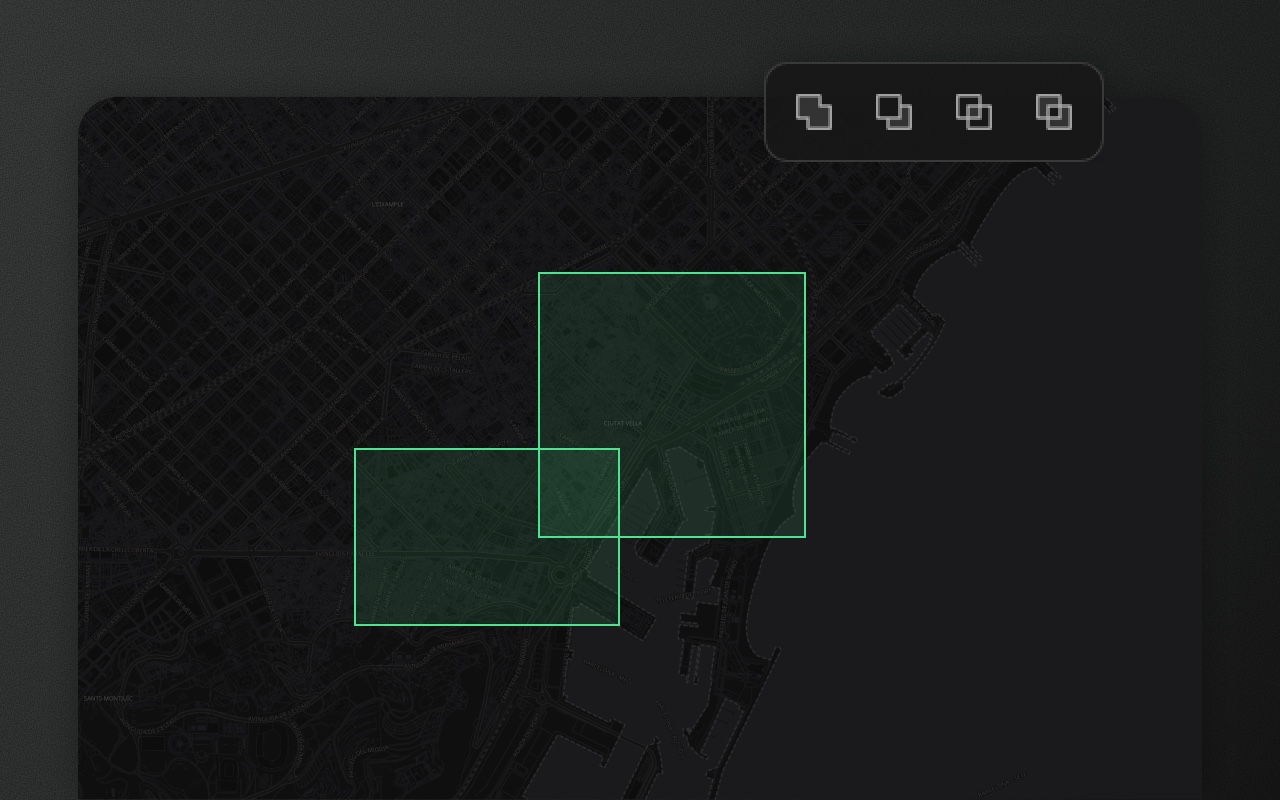
- 1Click the North zone
- 2Shift-click the Centre zone
- 3Pick Union, Intersect or Subtract below
- 4Or click one zone, press J, draw a line across it
Polygons do one thing well. Combining them is where it gets hard.
Most maps only need one polygon at a time. As soon as they need two that overlap — a delivery area that covers two zones, a wildfire perimeter that grew overnight — you're in boolean territory. Every polygon library solves this differently, and most put the computation on the main thread, where a 10,000-vertex union can freeze the browser for half a second.
Element Editor runs polygon union, intersect, subtract and exclude in a dedicated Web Worker, so the main thread stays responsive while complex unions compute in the background. The output is one or more standard Polygon or MultiPolygon features, ready to continue editing.
The operations
| Operation | Input | Output | Shortcut |
|---|---|---|---|
| Union | 2+ polygons | One Polygon or MultiPolygon combining them | toolbar |
| Intersect | 2+ polygons | The overlapping area as a polygon (empty if they don't overlap) | toolbar |
| Subtract | 2+ polygons | First selection minus the rest | toolbar |
| Cut hole | 1 outer polygon + 1 smaller polygon inside | Outer with the smaller polygon as an inner ring | H |
| Slice | 1 polygon + 1 line crossing it | Two polygons split along the line | J |
Union, intersect, and subtract appear in the editing toolbar whenever 2+ polygons are selected. Cut hole (H) and slice (J) have dedicated keyboard shortcuts because they use a two-feature interaction model.
How each one works
Union — select 2+ overlapping polygons, click Union in the toolbar. Element merges them into a single Polygon (if they touch as one shape) or MultiPolygon (if the combination has disconnected pieces). The original features are replaced with the result.
Intersect — select 2+ polygons, click Intersect. You get just the area they all share. If they don't all overlap, nothing changes and Element reports "No overlap found".
Subtract — the first-selected polygon minus all others. Order matters: shift-click to control which is first. Useful for making "everything except this" shapes.
Cut hole — press H to enter cut-hole mode. Draw a polygon inside an existing one. The drawn polygon becomes a hole (inner ring) in the outer shape. Real donut polygons, not two overlapping features.
Slice — press J, draw a line crossing a selected polygon. Element splits the polygon into two along the line. Useful for splitting administrative areas, cutting delivery zones, and similar boundary work.
Where the math runs
Polygon union, intersect, subtract and exclude use individual Turf packages (@turf/union, @turf/difference, @turf/intersect) running inside the geometry worker (packages/ui/src/workers/geometryWorker.ts). The worker is inlined into @element-editor/ui, created lazily, reused across operations, and isolated from the main thread. Cut hole and slice run in the same worker; point and line union are lighter and run on the main thread. For a 50,000-coordinate union, the main thread sees a millisecond message round-trip instead of a several-hundred-millisecond hang.
Show it in code
Boolean operations are UI-driven — users select features and click the toolbar. From code, you'd listen for the result:
import { ElementEditor } from '@element-editor/react'

export default function App() {
  return (
    <ElementEditor
      onFeatureAdd={(feature) => {
        // fires when a boolean op produces a new feature
        console.log('new shape', feature)
      }}
      onFeatureDelete={(id) => {
        // fires for the originals that were replaced
        console.log('removed', id)
      }}
    />
  )
}Union, intersect, and subtract produce one onFeatureAdd for the result plus one onFeatureDelete per original. Cut hole produces one onFeatureUpdate (the outer polygon gains an inner ring). Slice keeps the original feature as the first piece: one onFeatureUpdate for it plus one onFeatureAdd per extra piece.
Things to know before you ship
- Non-overlapping intersect changes nothing. If you intersect two polygons that don't touch, the originals stay and Element reports "No overlap found" through
onError(and a toast). NoonFeatureAddfires. - Order matters for subtract. The first-selected polygon is the base; all others are subtracted from it. Shift-click builds selections in click order; lasso adds them in layer order, so shift-click when order matters.
- Draw the cutter fully inside the outer polygon. A "cutter" that crosses the outer boundary bites a notch out of the edge instead of making a hole.
- Slice needs a line that fully crosses the polygon. A line that stops inside the polygon doesn't split it: the shape stays in one piece and Element reports "The line did not fully cut the shape".
- Every boolean op is undoable. One ⌘Z rolls back the entire operation including original-feature restoration.
Works with
- Selection & transform — select the source features first.
- Geometry processing — run simplify or smooth on the boolean result afterwards.
- Drawing — cut hole and slice use drawing tools for the cutter shape.